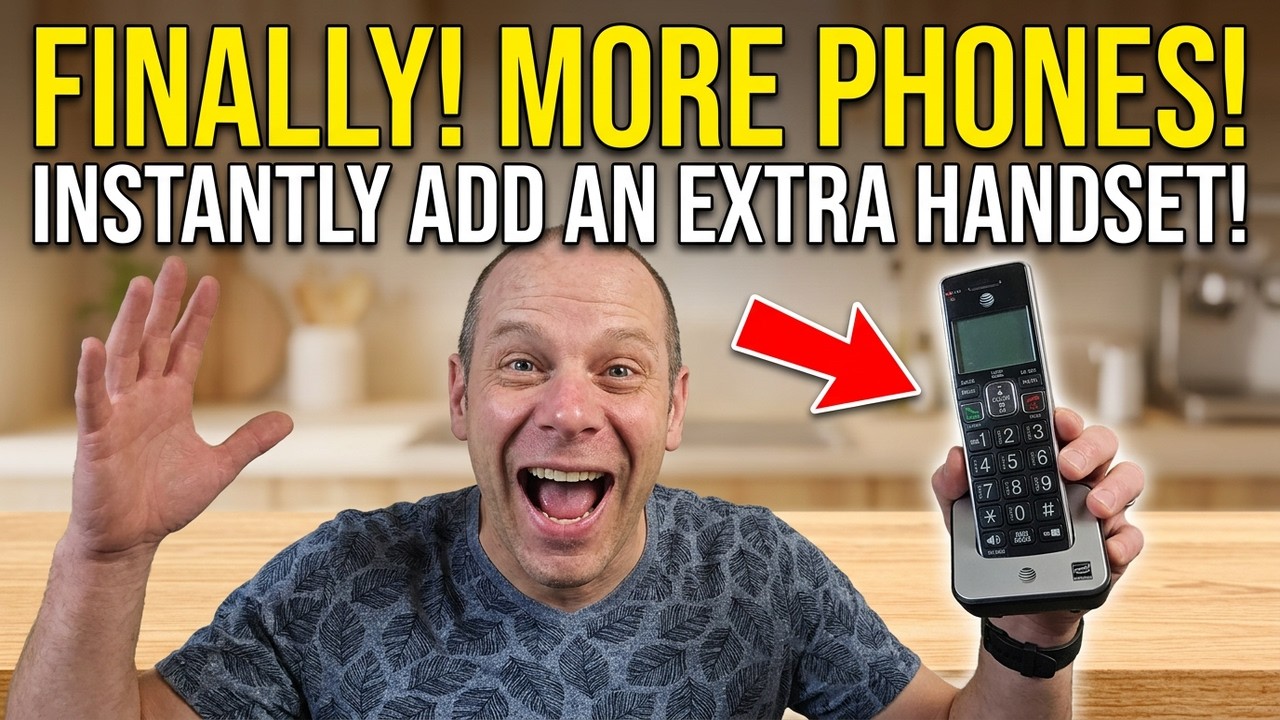
Overview of the AT&T Extra Phone Accessory
The AT&T Extra Phone Accessory handset is designed as an add-on device to expand your existing AT&T cordless phone system. It is not a standalone phone and requires an existing compatible base station to function. This accessory is ideal for those who need an additional handset in their home or office without replacing the entire phone system.
Purpose and Functionality
This accessory handset allows users to add an extra phone to their current AT&T telephone setup. It works as a supplementary device that connects wirelessly to the base station of your primary phone system. This means that if you have an AT&T cordless phone system already installed, you can increase the number of handsets by adding this extra unit, providing more flexibility in how you use your phones around your space.
Because it is an accessory, it cannot operate independently without the base station. The handset relies on the base station for signal transmission and telephone line connection, making it essential to have the base unit before purchasing or using this extra handset.
Design and User Features
The AT&T Extra Phone Accessory handset, model CL80113, utilizes DECT 6.0 technology, which is standard for cordless phones offering reliable signal quality and good range. One of the handset’s notable features is its large buttons, which provide ease of use, particularly for individuals who prefer or require larger keypads for dialing. This design consideration enhances accessibility and usability.
The handset includes a large screen that displays caller ID information clearly, allowing users to easily see who is calling before answering. This feature is particularly useful for managing calls in busy households or offices.
Additional Features
-
Caller ID : Displays the caller’s information on the screen.
-
Large Buttons : Enhances visibility and ease of dialing.
-
Big Screen : Provides clear readability for all displayed information.
-
Speakerphone : Enables hands-free communication.
-
Redial Button : Allows quick redialing of the last called number.
-
Phone Off Button : Easily ends calls or turns off the handset.
-
Equalizer : Lets users adjust the sound quality to their preference, improving audio clarity.
Power and Charging
The handset comes with a rechargeable lithium-ion battery, which is a standard battery type for cordless phones due to its longevity and efficient charging capabilities. It is designed to be charged by placing the handset on its base station or charging cradle. The accessory includes a battery that can be recharged repeatedly, ensuring that the handset remains operational without frequent battery replacements.
Once the battery is installed and the handset is placed on its charging base, it is ready to be powered up and integrated into your existing phone system. This setup ensures that the handset is always charged and ready for use whenever needed.
Summary
In summary, the AT&T Extra Phone Accessory handset offers a practical solution for expanding your current AT&T cordless phone system. With its user-friendly features such as large buttons, a big screen for caller ID, speakerphone capability, and an adjustable equalizer, it caters to users who want convenience and enhanced functionality. However, it must be used in conjunction with a compatible base station, so it is not a standalone phone but rather an extension of your existing phone network.
Compatibility Requirements and Base Station Support
Before purchasing the AT&T Extra Phone Accessory handset, it is crucial to understand the compatibility requirements and the necessary base station support to ensure proper functionality. This handset is not a standalone device and depends entirely on an existing AT&T base station to operate.
Dependence on Base Station
The handset accessory requires a compatible AT&T base station that supports additional handsets. Without the proper base station, the handset cannot connect to the telephone line or operate independently. This means that users must already have an AT&T cordless phone system installed that is capable of pairing with this specific model of accessory handset.
Compatibility is essential because different AT&T phone systems may use various technologies or frequencies, and not all base stations can support additional handsets or the specific DECT 6.0 protocol used by this handset. Therefore, confirming that your existing base station supports this accessory model is a key step before making a purchase.
Model Identification and Technology
The accessory handset is identified as the AT&T CL80113 model, which operates using DECT 6.0 technology. DECT 6.0 is a common standard in cordless phones that offers better range, security, and sound quality compared to older technologies. Ensuring that your base station also supports DECT 6.0 handsets is important for seamless operation.
If your base station is designed for DECT 6.0 handsets, it will generally allow you to add multiple handsets, including this extra accessory. However, it is best to check the specific model and user manual of your base station to verify the maximum number of supported handsets and any pairing procedures required.
Checking Compatibility
To check if your current AT&T base station supports the CL80113 accessory handset, consider the following steps :
-
Review Your Base Station Model : Look at the model number on your base station and cross-reference it with AT&T’s official documentation or website for handset compatibility lists.
-
Consult the User Manual : Your base station’s manual often contains information about compatible accessory handsets and the process for adding them.
-
Contact AT&T Support : For definitive answers, contacting AT&T customer service or technical support can clarify compatibility and provide guidance on setup.
Base Station Features for Accessory Support
Not all base stations support adding multiple handsets. The base station must have the following capabilities to support the AT&T Extra Phone Accessory handset :
-
DECT 6.0 Protocol Support : Ensures compatibility with the handset’s communication technology.
-
Multiple Handset Registration : Allows pairing and managing more than one handset.
-
Charging Cradle or Power Source : To charge the handset when not in use.
-
Caller ID and Display Features : Supports displaying caller information on all connected handsets.
Integration and Setup
Once compatibility is confirmed, the accessory handset can be integrated into your phone system by pairing it with the base station. The setup process typically involves :
-
Inserting the rechargeable lithium-ion battery into the handset.
-
Placing the handset on the charging base to power it up.
-
Following the base station’s instructions to register or sync the new handset.
-
Testing the handset to ensure it receives calls, displays caller ID, and functions like the other handsets in the system.
Since this accessory handset is designed to match the look and feel of existing AT&T phone sets, it integrates visually and functionally into your current setup, providing a seamless extension of your phone system.
Summary
In conclusion, the AT&T Extra Phone Accessory handset requires a compatible base station that supports DECT 6.0 handsets and the addition of extra handsets. Confirming compatibility with your existing base station is essential to ensure proper functionality. The handset cannot be used independently and depends entirely on the base station for operation, charging, and connection to the telephone line. By verifying model compatibility and following proper setup procedures, users can effectively expand their AT&T cordless phone system with this additional handset.
Design Features and Display Characteristics
The AT&T Extra Phone is designed primarily as an accessory handset, intended to complement an existing AT&T base station system. This means the handset cannot operate independently; it requires compatibility with a base station to function properly. The model featured in this review is the AT&T CL80113, which uses DECT 6.0 technology, a standard known for clear digital communication and extended range.
Physical Design and Ergonomics
The handset boasts a practical and user-friendly design, focusing on ease of use and visibility. One of the standout features is the inclusion of very large buttons. These oversized keys make dialing and navigating simple, particularly for users who may have difficulty seeing smaller buttons or those who prefer tactile feedback. The large buttons enhance accessibility, making the phone suitable for seniors or anyone who values straightforward usability.
The handset also includes a removable battery compartment cover, which can be quickly assembled and disassembled, allowing easy access for battery replacement or maintenance. This feature contributes to the overall user convenience and long-term usability of the device.
Display Characteristics
The AT&T Extra Phone is equipped with a generously sized screen, which provides clear and legible information at a glance. This large display makes it easy to read caller ID information, menu options, and other on-screen prompts without straining the eyes. The screen’s clarity and size are important for users who rely on visual cues to manage their calls efficiently.
While the exact screen resolution and color specifications are not detailed in the transcript, the emphasis on a “big screen” and the ease of reading everything on it implies that the display is optimized for visibility and user comfort. The screen design complements the large buttons, making the handset an excellent choice for environments where quick and clear access to call information is essential.
Compatibility and Accessory Nature
It is important to note that this handset is specifically an accessory unit. It cannot function independently and must be paired with a compatible AT&T base station system. Users interested in adding an extra handset to their existing AT&T phone setup should verify compatibility before purchase to ensure seamless integration.
The accessory nature of this handset means it is ideal for expanding phone coverage in larger homes or offices where multiple handsets are needed, but the user already owns a functional base station. Its design aligns with the existing AT&T phone series to maintain a consistent aesthetic and user experience across devices.
Battery Type and Charging Details
The AT&T Extra Phone comes equipped with a rechargeable battery, which is essential for cordless handset functionality. While the exact battery chemistry is not explicitly confirmed in the transcript, it is highly probable that the handset uses a lithium-ion battery, given the reference to “probably lithium-ion.” Lithium-ion batteries are a standard choice for cordless phones due to their longevity, lightweight characteristics, and efficient charging capabilities.
Battery Characteristics and Benefits
Lithium-ion batteries offer several advantages that enhance the overall user experience :
-
Rechargeability : The battery can be recharged multiple times without significant degradation, ensuring long-term use of the handset.
-
Lightweight and Compact : Lithium-ion batteries are relatively small and light, which helps keep the handset comfortable to hold during extended conversations.
-
Consistent Power Delivery : These batteries provide a stable voltage output, supporting reliable handset performance throughout the charge cycle.
The inclusion of a rechargeable battery means users do not need to frequently replace disposable batteries, reducing both cost and environmental impact.
Charging Setup and Process
Charging the AT&T Extra Phone is straightforward and user-friendly. The handset comes with a dedicated charging base, which is also part of the accessory system. This base station acts as a cradle where the handset rests when not in use, ensuring it remains charged and ready for the next call.
To charge the handset, simply place it onto the charging base after attaching the battery compartment cover. The connection between the handset and the base allows for efficient power transfer. Although the video does not specify charging time or battery life, the standard for DECT 6.0 handsets typically ranges from several hours to a full day of usage on a single charge, depending on usage patterns.
The charging base is compact and designed to fit seamlessly into a home or office environment without occupying excessive space. This makes it convenient to keep the handset charged and accessible at all times.
Additional Battery Considerations
Because the handset is an accessory, the battery provided is specifically intended to work harmoniously with the base station it pairs with. This ensures optimized power management and reduces the risk of compatibility issues. It is advisable for users to only use batteries and chargers supplied or recommended by AT&T to maintain safety and performance standards.
Key Functionalities : Caller ID, Speakerphone, and Redial
The AT&T Extra Phone offers several essential features that enhance its functionality and user convenience. Among these, caller ID, speakerphone, and redial stand out as the primary capabilities that users will frequently utilize.
Caller ID
One of the key features included with this handset is caller ID. This functionality allows users to see the phone number or contact information of the incoming call on the handset’s large, clear display. Caller ID is especially beneficial for screening calls, managing contacts, and deciding whether to answer a call immediately.
The video highlights that the handset “does have caller ID,” emphasizing its importance in everyday phone use. The large screen size aids in making this feature more accessible and easier to read, which is a considerable advantage for users who rely heavily on visual information during calls.
Speakerphone Capability
The handset also includes a speakerphone function, which enables hands-free communication. This is particularly useful in situations where the user needs to multitask or prefers not to hold the phone during conversations.
With a dedicated speakerphone button, activating this mode is straightforward. The speakerphone’s audio quality can be adjusted using the handset’s equalizer settings, allowing users to increase volume or improve clarity according to their preferences or environmental conditions. This adaptability ensures that the speakerphone remains effective across a variety of usage scenarios.
Redial Function
The redial feature on the AT&T Extra Phone simplifies the process of calling back the last number dialed. This is a convenient function that saves time, especially when needing to reconnect quickly without manually entering the number again.
The redial button is prominently placed for quick access, supporting efficient call management. Whether the user is returning a missed call or following up on an earlier conversation, the redial functionality streamlines communication.
Additional Functional Buttons
Besides the core features mentioned above, the handset includes several other functional buttons that enhance usability :
-
Call Button : Initiates outgoing calls and confirms dialed numbers.
-
Phone Off Button : Ends calls or exits menus.
-
Equalizer : Adjusts audio settings to optimize sound quality for various hearing preferences or environments.
These controls collectively contribute to a user-friendly interface that supports clear and convenient communication.
Summary of Key Functionalities
|
Feature |
Description |
User Benefit |
|---|---|---|
|
Caller ID |
Displays incoming call information on a large, clear screen |
Allows call screening and easy identification of callers |
|
Speakerphone |
Hands-free calling with adjustable audio via equalizer |
Enables multitasking and comfortable conversations without holding the handset |
|
Redial |
Quickly calls the last dialed number |
Saves time and effort when reconnecting calls |
|
Call & Phone Off Buttons |
Controls for making and ending calls |
Simplifies call management |
Audio Adjustments and Equalizer Settings
The AT&T Extra Phone handset offers essential audio features designed to enhance the user experience, particularly for those who require clear sound and customizable audio levels. This handset includes an equalizer function, which is a valuable tool allowing users to adjust the audio output to suit their hearing preferences or environmental conditions.
Equalizer Functionality
The equalizer on the AT&T CL80113 accessory handset allows users to modify the sound quality to make conversations easier to hear and understand. This is particularly beneficial in noisy environments or for users with hearing challenges. By adjusting the equalizer, you can emphasize certain audio frequencies, making voices sound clearer and reducing background noise interference.
This feature is straightforward to use and can be accessed directly on the handset. The ability to “turn it up” or adjust the audio settings means the phone can cater to a wide range of users, ensuring that the sound output works better for anybody, regardless of their specific hearing needs.
Speakerphone and Call Audio
In addition to the equalizer, the handset includes a speakerphone mode. This mode allows hands-free conversations, which can be very convenient for multitasking or for users who prefer not to hold the handset during calls. The speakerphone audio quality also benefits from the equalizer settings, ensuring that the sound remains clear even when the phone is not held directly to the ear.
Additional Audio Features
-
Caller ID with Large Screen Display : The handset displays caller information clearly on a large screen, which complements the audio clarity by providing visual confirmation of incoming calls.
-
Volume Control : Beyond the equalizer, users can adjust the volume of calls manually, allowing for further customization of the audio experience.
-
Redial and Call Buttons : These buttons provide quick access to repeat calls, enhancing ease of use during audio interactions.
Overall, the audio adjustments and equalizer settings on the AT&T Extra Phone accessory handset contribute significantly to a customizable and user-friendly calling experience. Whether you are in a quiet room or a noisy setting, these features help ensure your calls are clear and comfortable to listen to.
Assembly and Setup Instructions
Setting up the AT&T Extra Phone handset is a straightforward process, designed to get you up and running with minimal hassle. Since this handset is an accessory, it is important to note that it cannot operate independently and requires an existing compatible AT&T base station to function.
Unboxing and Initial Inspection
Upon unboxing, you will find the handset itself along with a rechargeable lithium-ion battery and a base station for charging. The handset features large buttons and a big screen, which are easy to see and operate. Before beginning setup, ensure all components are present and undamaged.
Battery Installation
The first step in assembly involves installing the rechargeable battery into the handset :
-
Remove the back cover of the handset carefully.
-
Place the lithium-ion battery into the compartment, ensuring the connectors align properly.
-
Secure the back cover by snapping it back into place.
Once the battery is installed, the handset is ready to be charged.
Charging the Handset
Place the handset onto the provided base station to begin charging. The base station supplies power to the handset and ensures that the battery remains charged for daily use. It is advisable to fully charge the handset before first use to maximize battery life and performance.
Pairing with the Base Station
Since this handset is an accessory model (AT&T CL80113 DECT 6.0), it must be paired with an existing AT&T base station that supports this handset model. Follow the instructions provided with your base station to pair the handset correctly. Typically, this involves placing the handset into registration mode and pressing a pairing button on the base station.
Functional Button Overview
After assembly and charging, familiarize yourself with the handset’s key functional buttons :
-
Redial : Quickly call the last dialed number.
-
Call : Initiate a phone call.
-
Phone Off : End or reject a call.
-
Speakerphone : Toggle hands-free conversation mode.
-
Equalizer : Adjust audio settings for optimal sound quality.
Final Setup Steps
Once the handset is charged and paired, you can begin using it as an extension of your existing AT&T phone system. The large buttons and clear display make it easy to navigate menus and access features such as caller ID. Ensure your base station is compatible and supports the DECT 6.0 protocol to guarantee optimal performance.
Suitability and Use Case for Existing AT&T Phone Systems
The AT&T Extra Phone accessory handset is designed specifically as an add-on to existing AT&T telephone systems. It is not a standalone device and requires a base station that supports this model for operation. Understanding its suitability and ideal use cases is critical before making a purchase.
Compatibility Considerations
This handset model, the AT&T CL80113 DECT 6.0, is compatible only with certain AT&T base stations. Potential buyers should verify that their current AT&T phone system supports DECT 6.0 accessory handsets before acquiring this unit. Without a compatible base, this handset will not function independently.
Ideal Use Cases
-
Expanding Existing Phone Systems : If you already own an AT&T phone system and wish to add an additional handset for convenience in another room or office, this accessory is an excellent option.
-
Users Needing Large Buttons and Clear Displays : The handset features very large buttons and a big screen, making it suitable for seniors or anyone requiring enhanced visibility and ease of use.
-
Households or Small Offices : Adding an extra handset allows multiple users to share the same phone line without needing separate base stations.
-
Enhanced Audio Control : With the built-in equalizer and speakerphone features, users can tailor the audio experience, ideal for those who need clearer sound or hands-free operation.
Limitations and Considerations
It is important to note the following limitations when considering the AT&T Extra Phone handset :
-
This accessory cannot be used as a standalone phone; it requires an existing compatible base station.
-
Compatibility must be confirmed to avoid purchasing an incompatible handset.
-
It is designed to visually and functionally match existing AT&T sets, which might limit aesthetic flexibility if users have different phone models.
Summary
In summary, the AT&T Extra Phone handset is well-suited for users who want to extend their current AT&T phone system with an additional handset that offers large buttons, a clear display, and customizable audio settings. It is particularly useful in multi-room scenarios or for users seeking enhanced visibility and audio clarity. However, it is crucial to verify base station compatibility before purchasing to ensure proper functionality.