check The Latest Price Here Ad
Unboxing And First Impressions
Upon receiving the thumbprint safe, the very first impression is its substantial weight, signaling robust construction and heavy-duty materials. The sheer heaviness of the safe immediately communicates a sense of durability and security, which is a critical factor when selecting a home security device. This initial tactile experience sets the tone for what users can expect : a product designed with protection and resilience in mind.
Unboxing Experience
The unboxing reveals a carefully packaged product that includes several essential components to get started right away. Inside the box, there is a small pouch that contains important items such as the user instructions and physical keys for emergency access.
This thoughtful inclusion ensures that users have multiple ways to access the safe, adding an extra layer of convenience and reliability.
Additionally, the safe features a dedicated USB port area, which is likely intended for charging or updating the safe’s electronic system. The presence of this port hints at modern technology integration that enhances user interaction with the device. Protective plastic covers are in place over the number pad and fingerprint scanner to prevent damage during shipping, emphasizing attention to detail in packaging.
First Visual And Functional Impressions
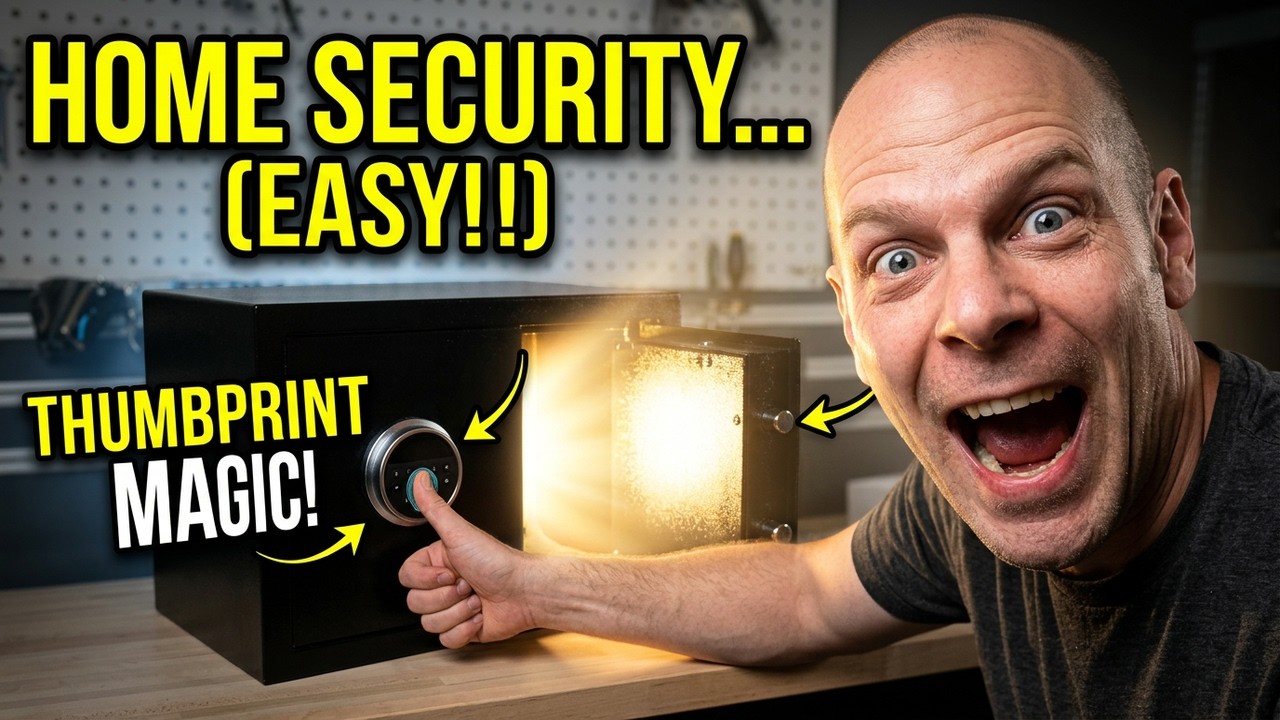
Visually, the safe presents a sleek and modern look with a number pad and a fingerprint scanner prominently placed on the front panel. The fingerprint scanner, which is designed to read the user’s thumbprint or fingerprint, is an innovative security feature that allows quick and secure access without the hassle of remembering codes or carrying keys.
This biometric access adds a significant convenience factor, especially for users who prioritize ease of use without compromising on security.
Removing the small front panel reveals the key slot, providing a backup entry method. This dual-access system—biometric and physical key—ensures that users will not be locked out in case of a technical failure or battery depletion.
Initial Setup Considerations
The safe also comes with floor anchors and sticky feet options. The floor anchors are designed for users who want to secure the safe firmly to the floor, preventing unauthorized removal. Alternatively, the sticky feet provide a non-invasive way to stabilize the safe on smooth surfaces.
This versatility in mounting options caters to different security needs and preferences.
Lastly, the battery pack compartment is clearly accessible, indicating that the safe operates on replaceable or rechargeable batteries. This is an important feature for maintaining long-term functionality and ease of maintenance.
Summary Of Unboxing And Initial Use
Heavy and solid construction immediately noticeable
Includes user instructions and backup physical keys
Features a USB port for charging or updates
Equipped with fingerprint scanner and number pad
Dual access system :
Biometric and key entryMultiple mounting options :
Floor anchors and sticky feetBattery pack compartment for power supply
In conclusion, the unboxing and first impressions highlight a well-designed, secure, and user-friendly safe that balances modern technology with practical backup measures, making it an excellent choice for home security needs.
Design Features And Build Quality
The design and build quality of the thumbprint safe underscore its role as a reliable security device suitable for home use. The safe’s design integrates both functional and aesthetic elements to enhance security, usability, and durability.
Heavy-duty Construction
The standout feature of this safe is its heavy-duty build. The weight alone is a testament to the materials used, suggesting thick, solid metal construction that is resistant to tampering or forced entry. This is further confirmed by the design of the locking mechanism, which includes substantial dead bolts that engage securely when the safe is locked.
These dead bolts are impressively thick and robust. When engaged, they firmly secure the safe door, making it extremely difficult to pry open. This locking mechanism is a critical component in ensuring the safe’s integrity against break-ins, providing peace of mind for users storing valuable items.
Biometric And Electronic Access
The front interface of the safe is equipped with a number pad and a fingerprint sensor. The number pad allows users to enter a personal code, providing a secondary access method alongside the primary biometric system. The fingerprint scanner itself is designed to quickly and accurately recognize authorized prints, offering a seamless unlocking experience.
During operation, the safe displays clear feedback, such as error messages when an incorrect code is entered. This feedback loop helps prevent unauthorized access attempts and ensures users are aware of their input status. The biometric sensor requires the user to place their thumb or finger correctly to activate the unlocking mechanism, which then smoothly opens the safe.
Backup Key Access And Usb Port
In addition to electronic and biometric entry, the safe includes a hidden key slot behind a removable panel. This backup key entry method is crucial for situations where the battery might be depleted or the electronic system encounters an issue.
The key slot is discreetly placed but easily accessible, blending security with convenience.
Moreover, the inclusion of a USB port indicates the potential for external power supply or firmware updates, keeping the safe’s technology current and operational without needing to remove the battery pack frequently.
Mounting And Stability Features
Users are provided with two options for securing the safe in place. The floor anchors allow for permanent installation by bolting the safe to the floor, which is ideal for preventing theft of the entire unit. This mounting option is especially useful in environments where high security is paramount.
Alternatively, for users who prefer a less permanent solution, the safe comes with sticky feet that can be applied to the bottom. These feet help stabilize the safe on smooth surfaces, preventing it from sliding or tipping over during use.
Battery Compartment And Power Management
The battery compartment is thoughtfully designed for easy access, allowing users to replace or install batteries without hassle. This compartment powers the electronic locking system, including the fingerprint reader and keypad. The design ensures that the safe remains functional even in the event of power interruption, thanks to the backup key option.
Summary Of Design And Build Quality
Feature | Description | Benefit |
|---|---|---|
Heavy-Duty Metal Construction | Thick, solid materials with substantial weight | Enhanced resistance to physical tampering and forced entry |
Thick Dead Bolts | Robust locking mechanism securing the door firmly | Improved security and peace of mind |
Fingerprint Scanner | Biometric access via thumb or fingerprint | Quick, secure, and convenient unlocking |
Number Pad | Secondary access method with personal code entry | Backup option alongside biometrics |
Backup Key Slot | Hidden key access behind removable panel | Emergency entry if electronics fail |
USB Port | External power or firmware updates | Maintains device functionality and updates |
Mounting Options | Floor anchors and sticky feet | Flexible installation for security or convenience |
Battery Compartment | Accessible battery pack housing | Easy power management and replacement |
Overall, the design features and build quality of this thumbprint safe combine to create a secure, reliable, and user-friendly home security device. Its heavy-duty materials, advanced locking mechanisms, and versatile access options make it a standout choice for anyone looking to safeguard their valuables effectively.
Fingerprint And Keypad Access System
The thumbprint safe is designed with advanced access options that provide both convenience and high security. This safe features a dual-entry system incorporating a fingerprint scanner and a keypad, allowing users to open it using biometric verification or a numerical code.
This combination offers flexibility, catering to different user preferences and ensuring accessibility even if one method encounters an issue.
Fingerprint Scanner
The fingerprint scanner is prominently positioned to allow quick and easy biometric access. Users simply place their thumb or finger on the designated sensor area to unlock the safe. This method is highly secure because it relies on unique biometric data that is difficult to replicate or forge.
The system is designed to recognize authorized fingerprints swiftly, granting instant access without the need to remember codes or carry keys.
During operation, the safe lights up to indicate readiness for fingerprint scanning, providing visual feedback that enhances usability in low-light conditions. This feature ensures that users can easily position their thumb correctly for recognition.
Keypad Access
In addition to biometric access, the safe includes a numeric keypad that allows users to enter a preset code to unlock the safe. This keypad is integrated into the front panel, providing an alternative entry option. The code can be programmed by the user, offering a customizable layer of security.
The keypad is equipped with tactile buttons that respond reliably to user input. If an incorrect code is entered, the safe provides an error notification, preventing unauthorized access attempts. This feature also helps in avoiding accidental lockouts by alerting users when the code is incorrect.
Backup Key Access
For added security and emergency situations, the safe comes with a manual key override system. A small panel on the front of the safe can be removed to reveal a keyhole. This allows users to unlock the safe using a physical key if the biometric or keypad systems fail or if the batteries run out.
This backup key system ensures that users are never locked out completely, providing peace of mind and guaranteed access under any circumstances.
Integrated Usb Port
The safe includes a USB port located near the keypad and fingerprint sensor. This port is likely intended for maintenance functions such as firmware updates or emergency power supply, ensuring the biometric and keypad systems remain functional and up-to-date.
Security Mechanisms And Deadbolts
Security is a paramount feature of this thumbprint safe, reinforced by its heavy-duty construction and robust locking mechanisms. The safe is designed to provide a formidable defense against unauthorized access attempts, ensuring that valuable items stored within remain protected.
Heavy-duty Build
One of the standout features of this safe is its solid and heavy construction. The weight alone suggests a durable, tough exterior designed to withstand physical attacks. The material thickness and overall build quality are engineered to deter tampering and forced entry.
Deadbolt Locking System
The safe utilizes thick, solid deadbolts to secure the door firmly when locked. These deadbolts extend into the frame of the safe, making it exceedingly difficult to pry open or force the door ajar. The video highlights the impressive thickness of these locking bolts, emphasizing their strength and reliability.
When the safe is locked, these deadbolts engage fully, making removal or bypassing a serious challenge for potential intruders. This mechanical locking system works in tandem with the electronic fingerprint and keypad access to provide a dual layer of protection.
Anchoring Options
To further enhance security, the safe includes options for anchoring it securely to a floor or surface. This prevents thieves from simply carrying the safe away. The package comes with floor anchors that can be installed to bolt the safe down, ensuring it remains fixed in place.
For situations where permanent anchoring is not feasible, the safe also comes with sticky feet pads. These pads allow the safe to be placed securely on a surface with some resistance to movement, though for maximum security, anchoring is recommended.
Additional Safety Features
Tamper Alerts :
The safe’s electronic system provides error notifications when incorrect codes are entered, helping to deter repeated unauthorized attempts.Robust Door Seal :
The door and locking mechanism are designed to close tightly, preventing easy access even if the safe is subjected to physical stress.Backup Key Access :
As a failsafe, a manual key lock is included to ensure access is always possible without compromising security.
Power Supply And Battery Installation
Reliable power is critical for the operation of the electronic components of this thumbprint safe, including the fingerprint scanner and keypad. The safe is powered by batteries housed within an internal battery compartment, ensuring it remains functional even during power outages.
Battery Pack Location And Installation
The battery pack is located inside the safe, accessible once the door is open. This design protects the batteries from external tampering and environmental exposure. Installing the batteries involves placing them into a dedicated compartment designed to hold them securely in place.
While the video transcript does not specify the exact battery type, such safes commonly use AA or AAA batteries or a rechargeable battery pack. Proper installation ensures consistent power delivery to all electronic components.
Power Backup And Usb Port
In addition to the internal batteries, the safe features a USB port that can serve as an emergency power input. This port allows users to connect an external power source if the internal batteries become depleted, ensuring uninterrupted access to the safe.
This dual power supply system enhances reliability, minimizing the risk of lockout due to power failure.
Battery Life And Maintenance
The safe’s electronics are designed to be energy-efficient, extending battery life between replacements. Users should regularly check the battery status and replace batteries as needed to maintain optimal functionality. The safe may provide low battery alerts through its keypad or indicator lights.
Regular battery maintenance is essential to prevent scenarios where the fingerprint or keypad access systems fail due to power loss.
Additional Power Considerations
Battery Replacement :
Designed for easy access and replacement, the battery compartment allows users to swap batteries quickly without professional assistance.Emergency Key Override :
In the event of complete battery failure, the manual key override ensures users can still access the safe.Installation Tips :
It is recommended to use high-quality batteries to maximize performance and lifespan.
Floor Anchoring And Stability Options
When it comes to securing your valuables in a safe, stability and anchoring are crucial factors to consider. This thumbprint safe offers multiple options to ensure it stays firmly in place, providing you with peace of mind that it cannot be easily moved or stolen.
The design incorporates both floor anchoring capabilities and alternative stability methods, making it versatile for different installation environments.
Floor Anchoring
The safe includes dedicated floor anchors which allow you to bolt it down securely to the floor. This is an essential feature if you want to prevent the safe from being lifted or carried away by unauthorized individuals. Anchoring the safe to the floor adds a significant layer of security, particularly in homes or offices where the safe might be placed on carpet, tile, or wood flooring.
The floor anchors come as part of the package, making it convenient to install without needing to purchase additional hardware. These anchors are designed to work with the safe’s base, which has pre-drilled holes specifically for this purpose. Installing the anchors typically involves :
Positioning the safe in your desired location
Marking the floor through the anchor holes
Drilling into the floor surface to create the anchor points
Securing the safe with the bolts provided
This process ensures the safe is firmly fixed and cannot be easily moved or tipped over.
Sticky Feet For Alternative Stability
If drilling into the floor is not an option, the safe also comes with sticky feet as an alternative method to enhance stability. These sticky feet can be attached to the bottom of the safe and provide a non-slip grip to the floor surface, reducing the chance of the safe sliding around.
While sticky feet do not offer the same level of security as floor anchoring, they are a practical solution for renters, or for situations where you want to avoid damaging your flooring. They help keep the safe in place during regular use, especially on smooth surfaces like hardwood or tile.
This option is straightforward to apply and does not require any tools or modifications to your home.
Heavy-duty Build Complements Stability Features
It’s worth noting that the safe itself is impressively heavy and built with a robust structure, contributing to its inherent stability. The substantial weight makes it difficult to move, even before anchoring. When combined with floor anchors or sticky feet, the safe’s stability is maximized, providing a reliable, tamper-resistant security solution.
In summary, whether you choose to use the floor anchors or the sticky feet, this safe offers flexibility in installation to suit your security needs and environment. The heavy-duty construction paired with these stability options ensures your valuables are well protected against theft or unauthorized access.
Setting Up The Safe And Programming Codes
Setting up your thumbprint safe is a straightforward process that involves initial installation, battery installation, and programming your access codes. These steps ensure that your safe is ready to protect your belongings using both biometric and numeric security methods.
Battery Installation
The safe requires batteries to power the electronic locking mechanism and the fingerprint scanner. Inside the safe, you will find a battery pack compartment where you need to insert the batteries. This safe typically uses standard batteries (often AA or AAA), but always check the user manual for exact specifications.
Installing the batteries is simple :
Open the battery compartment inside the safe
Insert the batteries according to the polarity markings
Close the compartment securely to prevent any loose connections
Proper battery installation is essential for the safe’s electronics to function correctly, including the keypad and fingerprint scanner.
Programming The Access Codes
Once the batteries are installed, the next step is programming your access codes. This safe supports both a numeric code and fingerprint recognition, giving you flexible options for unlocking.
To set the numeric code :
Turn on the safe’s keypad by pressing the designated button
Enter a temporary or factory default code (if provided in the instructions)
Follow the programming instructions to input your new numeric code
Confirm the code by entering it again
It’s important to choose a code that is secure yet memorable. The safe’s keypad provides immediate feedback if an incorrect code is entered, displaying an error message. This ensures you know when a code attempt has failed.
Using The Backup Keys
The safe also includes a set of physical keys stored in a small pouch. These keys serve as a manual override in case the electronic systems fail or if you forget your codes. The key slot is concealed under a removable panel on the safe’s front, maintaining the safe’s sleek appearance while providing emergency access.
Setting Up The Fingerprint Scanner
Programming your fingerprint is a critical step in maximizing the convenience and security of this safe. The scanner is located prominently on the front panel, where you place your thumb or finger for recognition.
To register your fingerprint :
Open the safe using the numeric code or key
Access the programming mode for fingerprint registration (details usually found in the instructions)
Place your thumb or finger on the scanner multiple times as prompted to capture a full print
Save the fingerprint to the safe’s memory
You can typically register multiple fingerprints if you want more than one authorized user. This biometric system allows quick and secure access without needing to remember a code.
Finalizing Setup And Testing
After programming your numeric code and fingerprint, it’s essential to test the safe multiple times to ensure all access methods work smoothly. Lock the safe and try opening it with :
The newly set numeric code
Your registered fingerprint
The physical key (as a backup)
Make sure the safe responds correctly to each method and that error messages appear when incorrect codes or fingerprints are used. This thorough testing confirms your safe is ready for use.
Using The Thumbprint Scanner To Unlock
The thumbprint scanner is the standout feature of this safe, offering quick and secure biometric access. Using the scanner is intuitive and designed for convenience, eliminating the need to remember or enter numeric codes every time you want to open the safe.
How The Thumbprint Scanner Works
The scanner is located on the front panel of the safe, integrated just above the keypad. It uses biometric technology to detect and verify your unique fingerprint or thumbprint. Once your fingerprint is registered, the scanner compares the print you place on it with the stored data to grant access.
This system provides several advantages :
Speed :
Unlock the safe in seconds by simply placing your thumb on the scanner.Security :
Only registered fingerprints can open the safe, reducing the risk of unauthorized access.Convenience :
No need to remember or enter numeric codes if you prefer biometric access.
Unlocking The Safe With Your Thumbprint
To unlock the safe using the thumbprint scanner, follow these simple steps :
Wake the safe by pressing the keypad or the fingerprint scanner if it’s in sleep mode.
Place your thumb or registered finger firmly on the fingerprint scanner.
Wait for the safe to process the fingerprint. If recognized, the safe will unlock immediately.
It’s important to position your finger correctly on the scanner. Applying too little pressure or moving your finger during scanning may result in an error. The safe will notify you if the fingerprint is not recognized, allowing you to try again quickly.
Handling Errors And Access Denials
If the safe displays an error when you use the thumbprint scanner, this usually means the fingerprint was not recognized. Common reasons include :
Incorrect finger placement on the scanner
Dirty or wet finger affecting scan quality
Scanner surface being dirty or obstructed
In such cases, simply try repositioning your finger or cleaning the scanner surface. If repeated attempts fail, you can use the numeric code or physical key to open the safe.
Additional Features
The safe’s fingerprint scanner is integrated with an LED indicator or light-up feature that signals the scanning process. When you place your thumb on the scanner, it lights up to confirm it’s active and processing the fingerprint. This visual feedback helps ensure you know when the scanner is ready and when it has successfully unlocked the safe.
Overall, the thumbprint scanner greatly enhances the user experience by combining security with ease of access. It’s an ideal solution for quick retrieval of your valuables without compromising safety.
check The Latest Price Here Ad